Resource Center
Introduction
Introduction to Ovo Task
Ovo Task is an all-in-one work management platform built for teams that want clarity, speed, and control—without juggling multiple tools.
It helps you manage tasks, communicate with your team, track clients, and stay on top of payments, all from one place.
Whether you’re running an agency, a service business, or a growing team, Ovo Task is designed to keep your daily work organized and your operations running smoothly.
Overview
Ovo Task brings your entire workflow together in a single dashboard.
With Ovo Task, you can:
- Create and manage tasks and projects
- Communicate with your team in real time
- Organize clients and accounts
- Create and store invoices
- Track incoming and outgoing payments
Instead of switching between apps, spreadsheets, and chat tools, everything lives where the work happens.
Why Ovo Task?
Most teams struggle not because they lack talent—but because their tools are disconnected.
Ovo Task was built to solve that problem.
What makes Ovo Task different:
- Everything in one place – tasks, messages, clients, and payments
- Simple and intuitive – no steep learning curve
- Built for real teams – not overcomplicated, not bloated
- Scales with you – works for small teams and growing businesses
Ovo Task helps you spend less time managing work and more time actually doing it.
How Does Ovo Task Work?
Ovo Task follows a simple, practical flow:
- Create your workspace
Set up your team, projects, and clients in minutes. - Assign and track tasks
Create tasks, set deadlines, and assign them to team members. Track progress in real time. - Communicate in context
Use built-in messaging to discuss tasks and projects—no more lost conversations. - Manage clients and accounts
Keep all client-related work, communication, and history organized in one place. - Handle invoicing and payments
Create invoices, store records, and track paid and unpaid amounts with full visibility.
Everything updates in real time, so your entire team stays aligned and informed.
Get set up in 3 steps
1. Create and verify your account
Start your journey by securing your login credentials:
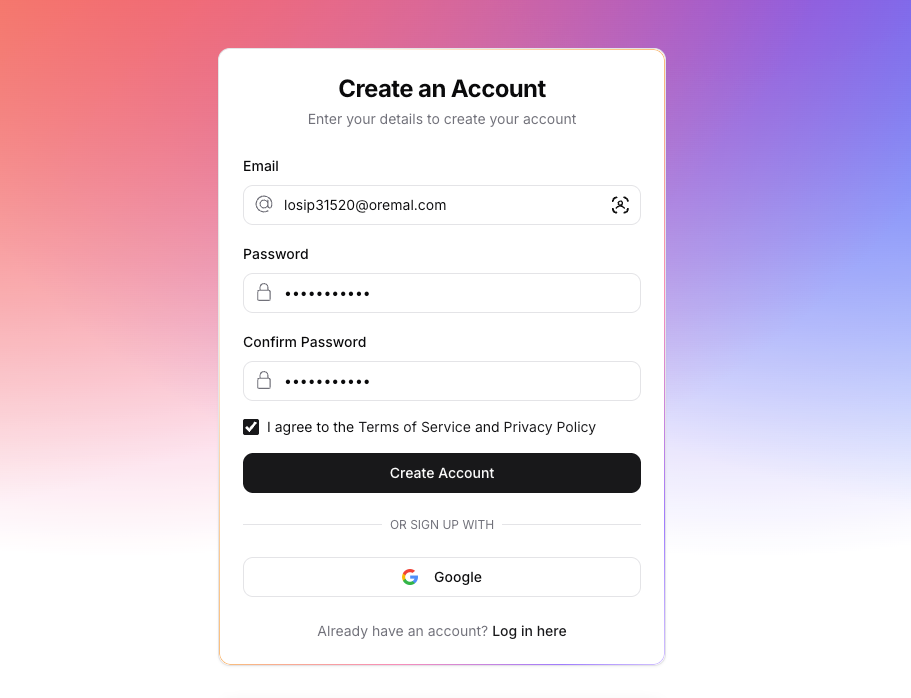
- Sign up for Ovo Task: Enter your email and password, or use the Google button for one-click access.
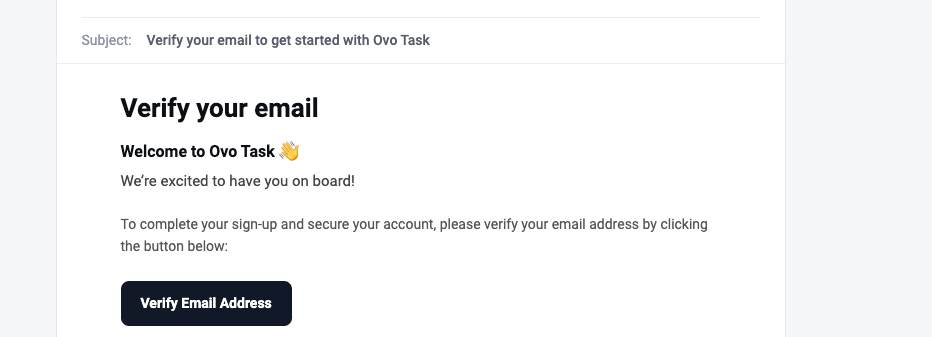
Verify your email: Check your inbox for the welcome email from the Ovo Task Team and click Verify Email Address.
2. Build your profile
Let your team know who you are within the system:
- Enter your details: specific your First and Last Name.
- Add a photo: Upload a profile picture so your team can recognize you (or skip this step and add it later).
- Establish identity: These details will appear on tasks you are assigned to.
3. Define your workspace
Create the digital office where your work will happen:
- Name your Workspace: Enter a unique name for your team's hub (e.g., "John's Workspace").
- SSet Timezone: Toggle Automatic Timezone to sync with your device's location (e.g., EST) or set it manually to match your team's core hours.
- Finish Setup: Click the final button to launch your dashboard.
Explore more features
- Invite your team Bring colleagues into your newly created Workspace.
- Create Projects Organize your tasks into specific project buckets.
- Task Management Assign duties, set due dates, and track status.
- Profile Settings Update your avatar or password at any time.
Need assistance? Submit a request to our support team at support@ovotask.com.
Was this page helpful?